
How a manufacturer connects SAP to the shop floor with a proper integration layer
The outcome we're after.
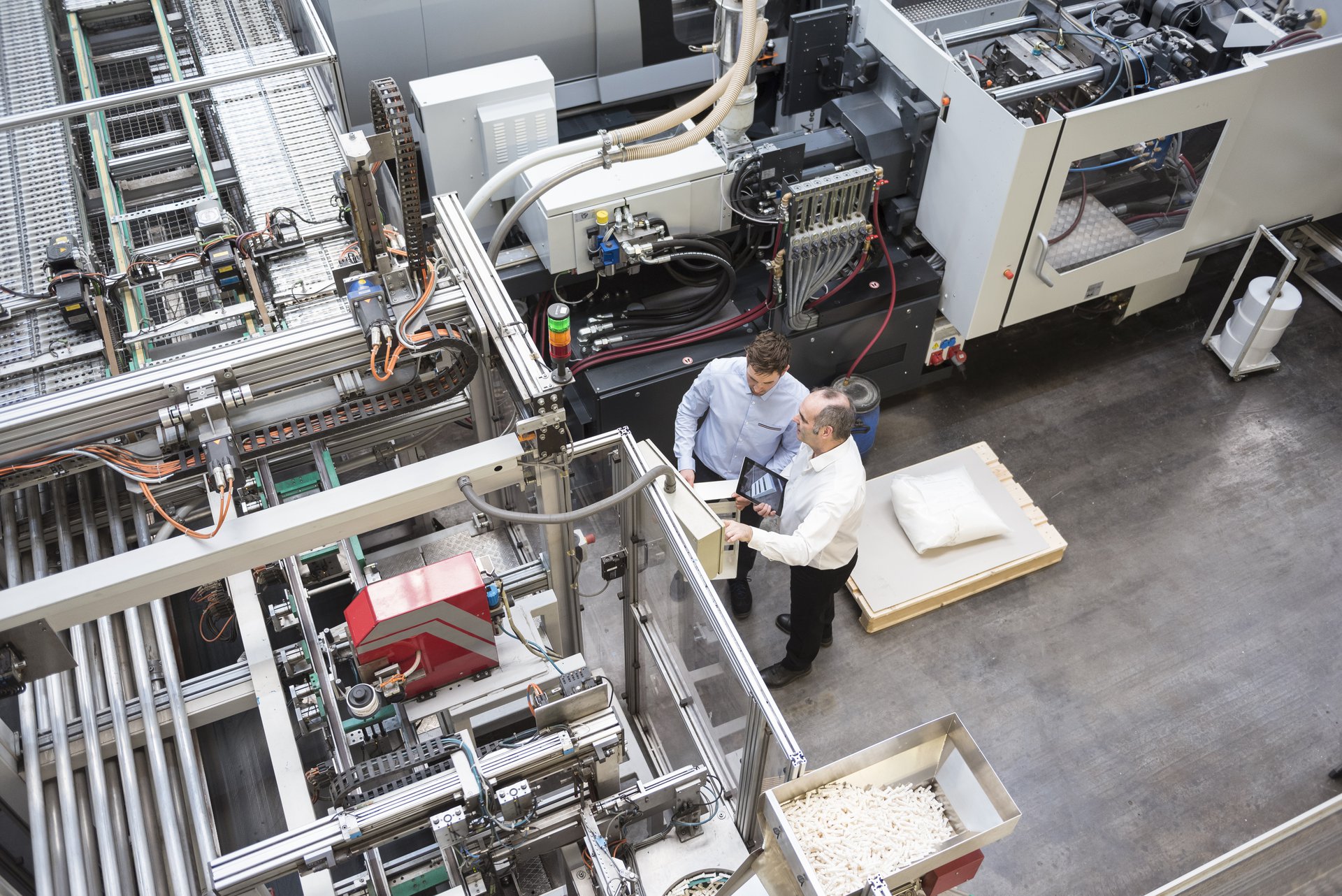
A manufacturer running SAP usually has the office and the shop floor living in two different worlds. SAP holds the orders, the bills of material and the stock figures. The line runs on its own MES, scanners and screens. Between them sits a person re-keying numbers, so confirmations land late and stock on hand is never quite right. A proper integration layer, brokered on Microsoft Azure, lets production orders, confirmations, material consumption and quality results flow both ways automatically. SAP stays the system of record, the floor keeps its own pace, and Power BI reports on top of a single, trusted picture.
Book a discovery call 
The gap between SAP and the shop floor
In most manufacturers running SAP, the office and the floor keep two separate sets of books. SAP holds the production orders, the bills of material, the standard costs and the stock figures. The line runs on its own world of scanners, machine screens and an MES, or sometimes just a clipboard. Between the two sits a person whose job is to copy numbers from one into the other.
That gap is where the trouble lives. A released order is printed and walked to the line. Output, scrap and material used are written down through the shift and typed back into SAP at the end of it. By the time the numbers land, they are hours old, and every keystroke is a chance to fan-finger a quantity or a batch. The result is familiar to anyone who runs a plant. Stock on hand in SAP never quite matches what is on the rack, order status lags what the line has actually done, and month-end becomes a hunt for where the figures drifted apart.
The pressure on getting this right is only growing. Customers want shorter lead times, materials cost more, and a wrong stock figure can stop a line or trigger a purchase the business did not need. The data to run tighter is already being captured on the floor. It just is not reaching SAP while it still matters, and SAP’s plan is not reaching the floor fast enough either.
Why a proper integration layer, not manual re-keying
The aim is one accurate picture of production that both the office and the floor work from, without anyone typing the same number twice. That means an integration layer between SAP and the shop floor, brokered on Microsoft Azure, rather than manual re-keying or a point-to-point hack wired straight into SAP.
SAP headlines the build because it stays the system of record. It keeps owning orders, materials and stock, and the integration is built around its model rather than working against it. Released production orders flow out of SAP to the line. Confirmations, material consumption, stock movements and quality results flow back in, posted through SAP’s supported interfaces so the ERP’s own rules and validations still apply. The floor gets the right job sooner. SAP gets clean, timely postings instead of a once-a-day batch typed by hand.
The integration sits on Azure for good reasons, and the data stays in an Australian Azure region so it does not leave the country. Azure brokers the messages between the floor and SAP, buffers them when SAP is busy, and gives one place to monitor every interface. Power BI then reports on top of the connected data, so supervisors and planners read production, stock accuracy and order progress from the same source the integration keeps current.
We deliberately avoided wiring the scanners straight into SAP. A point-to-point link looks quicker for the first interface and becomes a liability by the fifth, because every device then depends on SAP’s exact shape and timing, and a SAP upgrade means touching all of them. An integration layer keeps the floor and SAP loosely coupled, so each side can change without breaking the other. It is the difference between a connection that survives the next upgrade and one that has to be rebuilt.

Building it, and where it got hard
The interfaces themselves were rarely the hard part. The friction was that SAP and the shop floor disagree about time and units, and one issue stood in for the rest.
SAP thinks in batches, standard costs and confirmed quantities. The line thinks in real-time counts, in the units the operator sees on the machine. Our first attempt synced shop-floor events to SAP as they happened, one for one. It looked clean in testing and fell over under real load. A fast line firing a confirmation per piece flooded SAP with postings, and where units or rounding did not line up, the floor’s running count and SAP’s stock figure drifted apart. A naive real-time sync did not make stock more accurate. It made it wrong faster.
The fix was to make the integration layer do real work rather than relay messages. It buffered shop-floor events and reconciled them before posting, so SAP received confirmations at a sensible grain instead of a flood. It mapped the line’s units and confirmation rules to SAP’s model, so a count on the floor became the right quantity in the right unit against the right order. And it kept SAP as the system of record throughout, posting through SAP’s interfaces so nothing bypassed the ERP’s own checks.
The other hard requirement was the link dropping mid-shift, because on a factory floor it will. We put a durable queue between the line and SAP. Events are captured locally and held when the connection drops or SAP is unavailable, then replayed in order when it returns, with duplicate protection so a confirmation is never posted twice. The line never waits on the integration, and SAP catches up cleanly. None of this is glamorous. It is the difference between an integration the plant trusts and one the supervisors quietly route around.
What changed
In a representative integration the manual double entry between SAP and the line went away. Confirmations and stock movements posted automatically as the line reported them, rather than being typed at shift end, so order status and stock figures reflected the floor within minutes instead of hours. Reconciling material consumption against SAP as it happened narrowed the gap between book stock and counted stock that the old once-a-day post had left wide open. Released orders reached the floor in minutes rather than waiting for a batch print, so the line started the right job sooner.
These figures are illustrative. They describe the pattern we see rather than a published result for a named manufacturer. The shape is the point. The data the floor was already capturing starts reaching SAP while it still matters, SAP’s plan reaches the floor without a paper traveller, and the person who spent the day re-keying gets that day back. Stock you can trust and an order status you can believe follow from the connection, not from another spreadsheet.
Where this fits
This SAP to shop-floor build is one application of our Integration Services, with SAP kept as the system of record, for Australian manufacturing. It is a contained, high-return place to start, because the data already exists on both sides and the value comes from letting it flow cleanly rather than from new software. It also lays the groundwork for what comes next, since a connected, trustworthy production picture is exactly what production analytics or predictive maintenance need underneath them. If your team is re-keying numbers between SAP and the floor, the place to start is to map the data crossing that gap and decide the handful of interfaces that would let it move on its own.
Representative outcomes
Less re-keying
A representative integration removed the manual double entry between SAP and the line, so confirmations and stock movements posted automatically instead of being typed at shift end.
Truer stock figures
Reconciling material consumption against SAP as the line reported it cut the gap between book stock and counted stock that a once-a-day manual post had left wide open.
Faster order-to-production
Released SAP orders reached the floor in minutes rather than waiting for a batch print, so the line started the right job sooner and supervisors chased fewer paper travellers.
This solution applies our Integration Services service, built primarily on SAP , for the Manufacturing sector.
Supporting stack: Microsoft Azure, Power BI.
Related solutions.

Representative Solution. An illustrative scenario based on how we deliver, not a named client engagement. Outcome figures are representative, not published results.
Frequently asked.
How is AI and automation used in manufacturing?
What is ERP to MES integration?
Why integrate SAP with the shop floor instead of re-keying?
What happens if the link drops mid-shift?
How do you keep the integration maintainable when SAP is upgraded?
Stop re-keying between SAP and the floor
We will map the data crossing between SAP and your shop floor and show you the interfaces that would let it flow automatically, with SAP kept as the system of record.
Book a discovery call